Streetstop
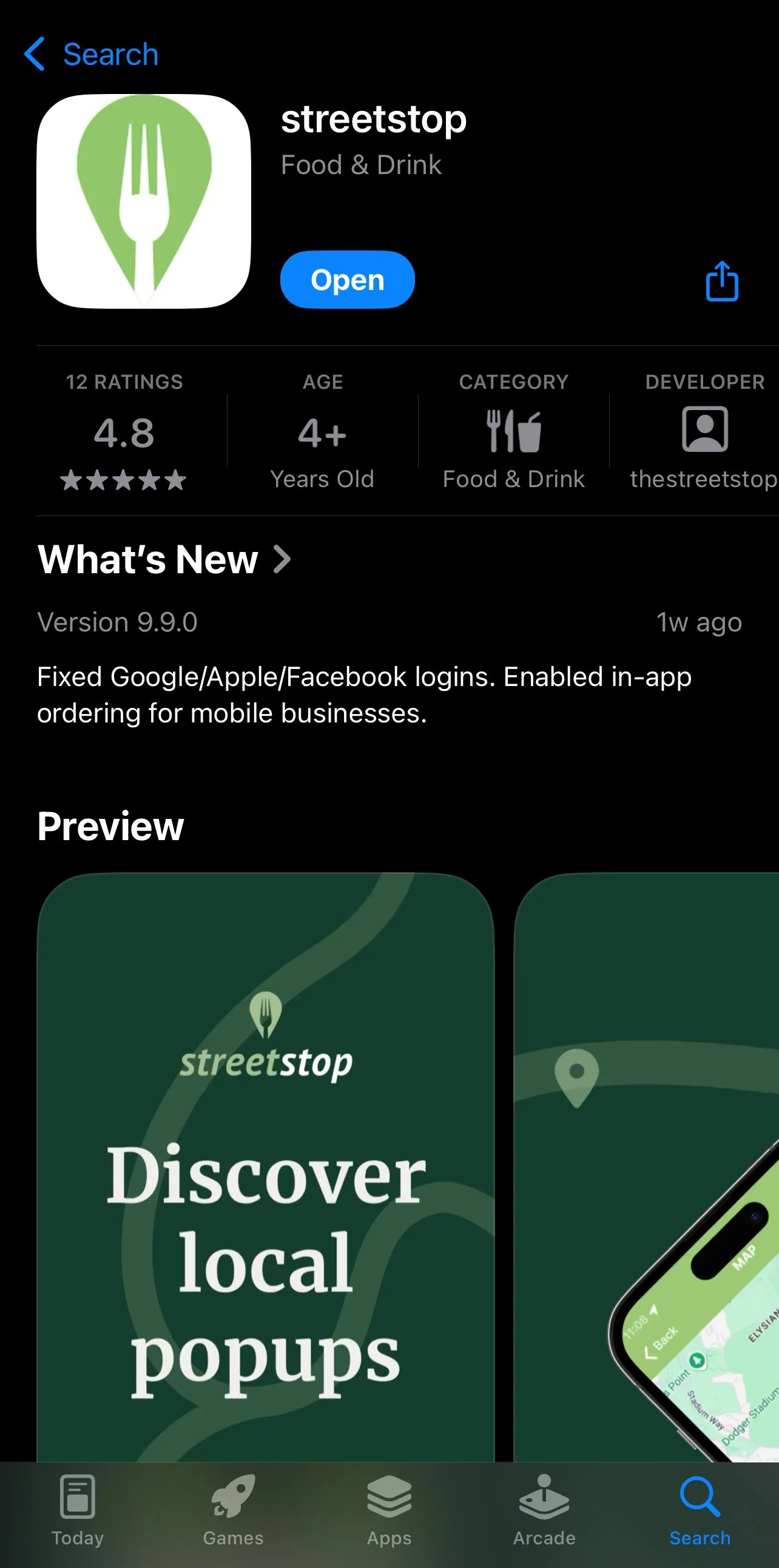
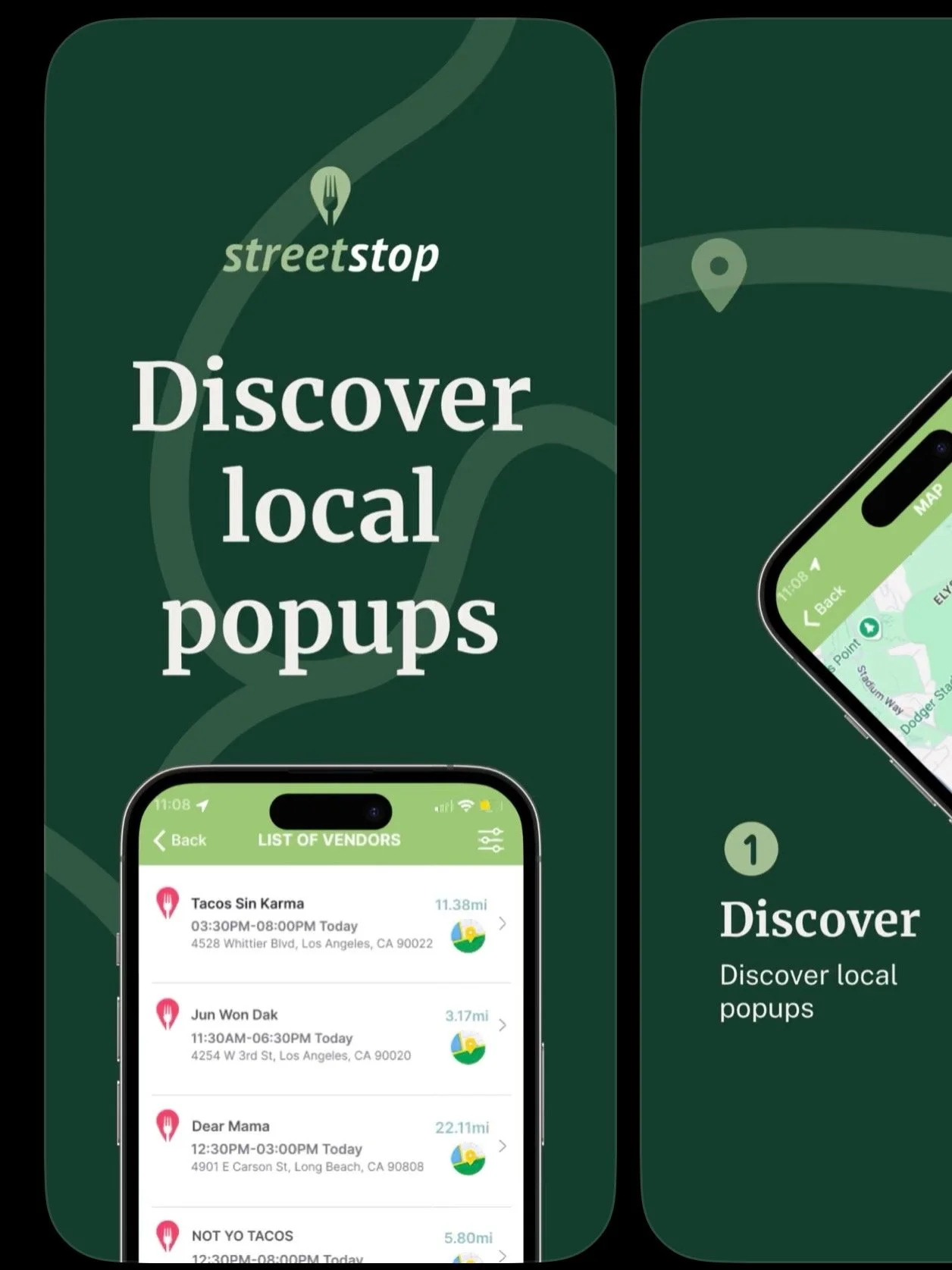
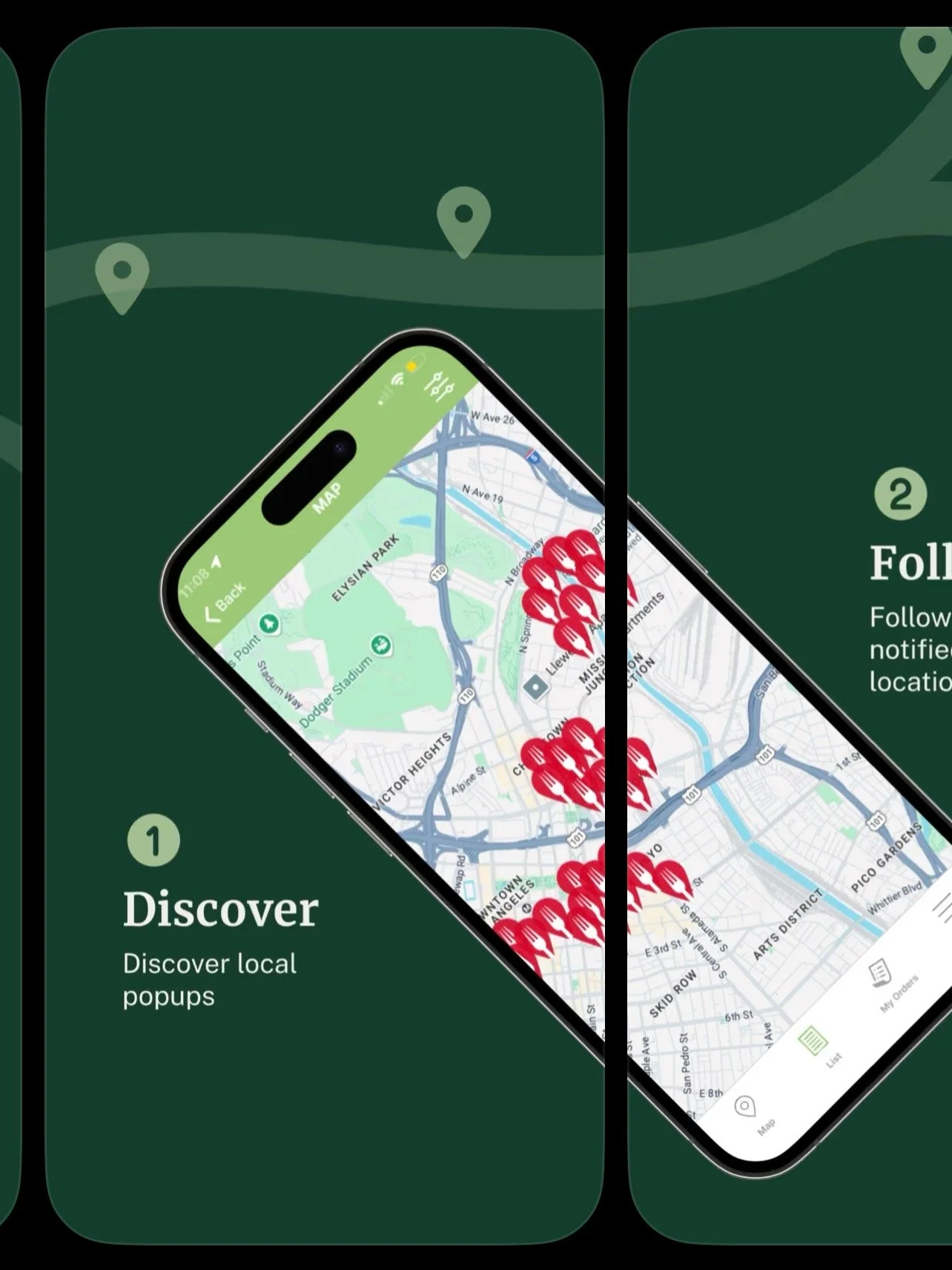
Streetstop is a food discovery platform built for people who want to eat like locals. Instead of relying on generic ratings, it curates personal, community-driven recommendations that surface authentic, hyper-local culinary experiences.
Overview
Streetstop is a food discovery platform that surfaces authentic, hyper-local popups and helps people eat like insiders.
Role
As a Marketing & Product Design Intern for Streetstop, I designed and prototyped new features for the app.
Tools
Figma, FigJam, FigMake, Notion, Canva
Scope
UX Research, prototyping, visual branding, presentation design
Duration
12 weeks (June 2025 to August 2025)
The Problem
The Streetstop team relied on manually tracking and entering vendors’ popup schedules into the app. This required the marketing team to check over 130+ vendor Instagram accounts each day for updates, schedule changes, or new posts. The process was time-consuming, inefficient, and prone to missing last-minute changes.
This manual workflow also created unnecessary friction for both the vendors—who had no streamlined way to share their schedules—and the internal Streetstop team, who had to constantly monitor and update information across platforms.
For users, this meant the app’s information wasn’t always up-to-date, resulting in an unreliable and inconvenient discovery experience.
Internal Workflow Audit — Current State
To understand the root of the inefficiencies, I mapped out the Streetstop team’s current process for collecting vendor schedules. The internal workflow relied heavily on manual effort and constant monitoring across multiple platforms.
Monitoring 130+ Vendor Instagram Accounts
The marketing team checked over 130 individual vendor accounts daily to track popup announcements, stories, etc.
Painpoints
Information was scattered and inconsistent, making it easy to miss updates.
Manually Extracting Schedule Information
Any schedule details found on Instagram had to be copied into notes or internal documents by hand.
Re-Entering Information into Streetstop
The team then manually updated each vendor’s schedule inside the app.
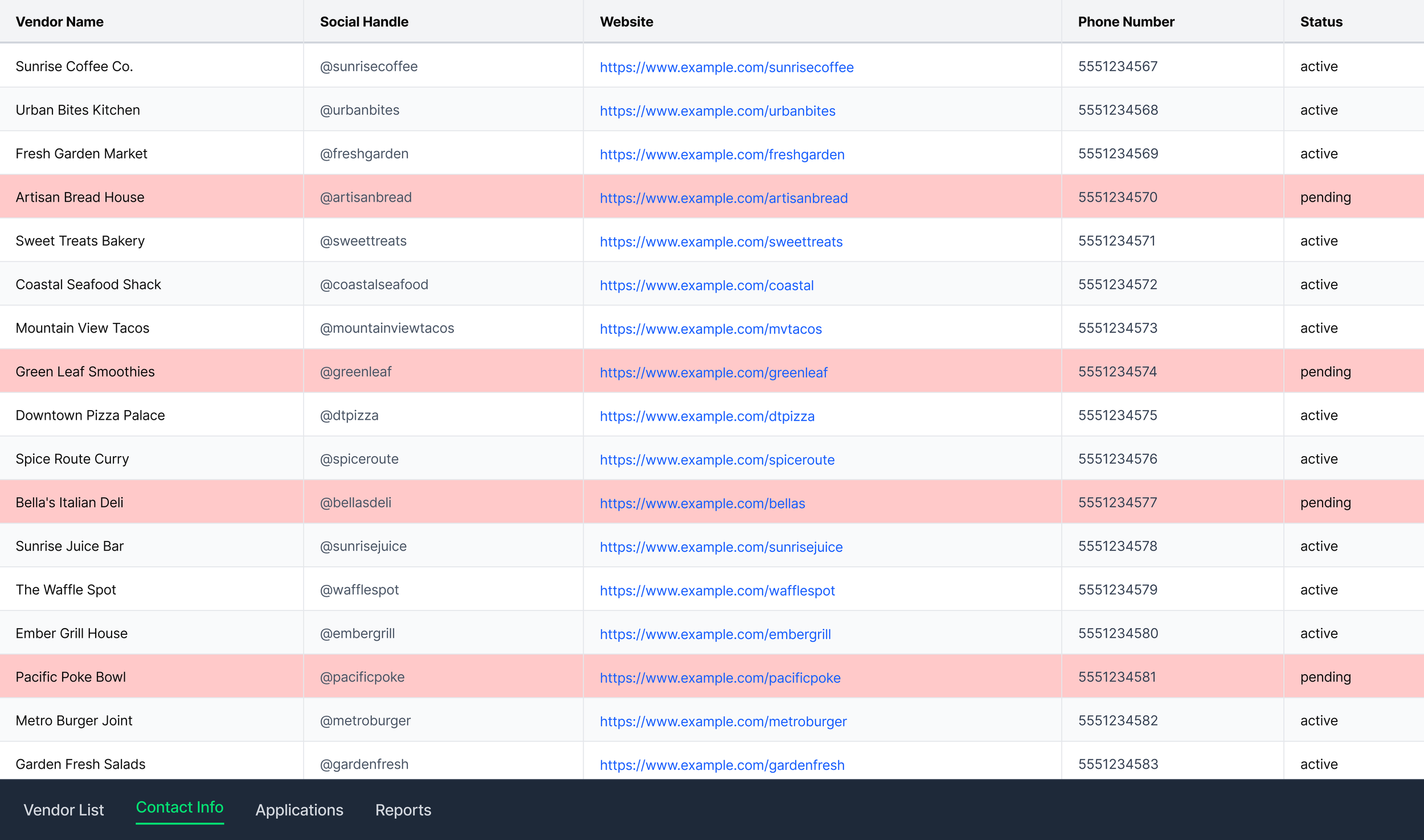
Tedious data entry created opportunities for errors and slowed down the team.
Time-consuming and required constant vigilance for last-minute changes.
Where This Process Breaks
Vendor schedule updates on Instagram are not standardized and vary widely in format
Schedule changes are frequent and often posted last minute
The internal team relies heavily on manually interpreting and transferring this information
Vendors technically could input their schedules into Streetstop, but the existing system did not match their needs or workflow, which led them to rely on Instagram instead
As a result, the app frequently displays incomplete or outdated information
Opportunities Identified
Reduce dependence on Instagram as the primary source of schedule information
Create a more streamlined, vendor-friendly scheduling system that aligns with how vendors actually operate
Minimize manual entry work for the Streetstop internal team
Improve consistency, accuracy, and timeliness of popup information
Ensure the platform can scale as more vendors join
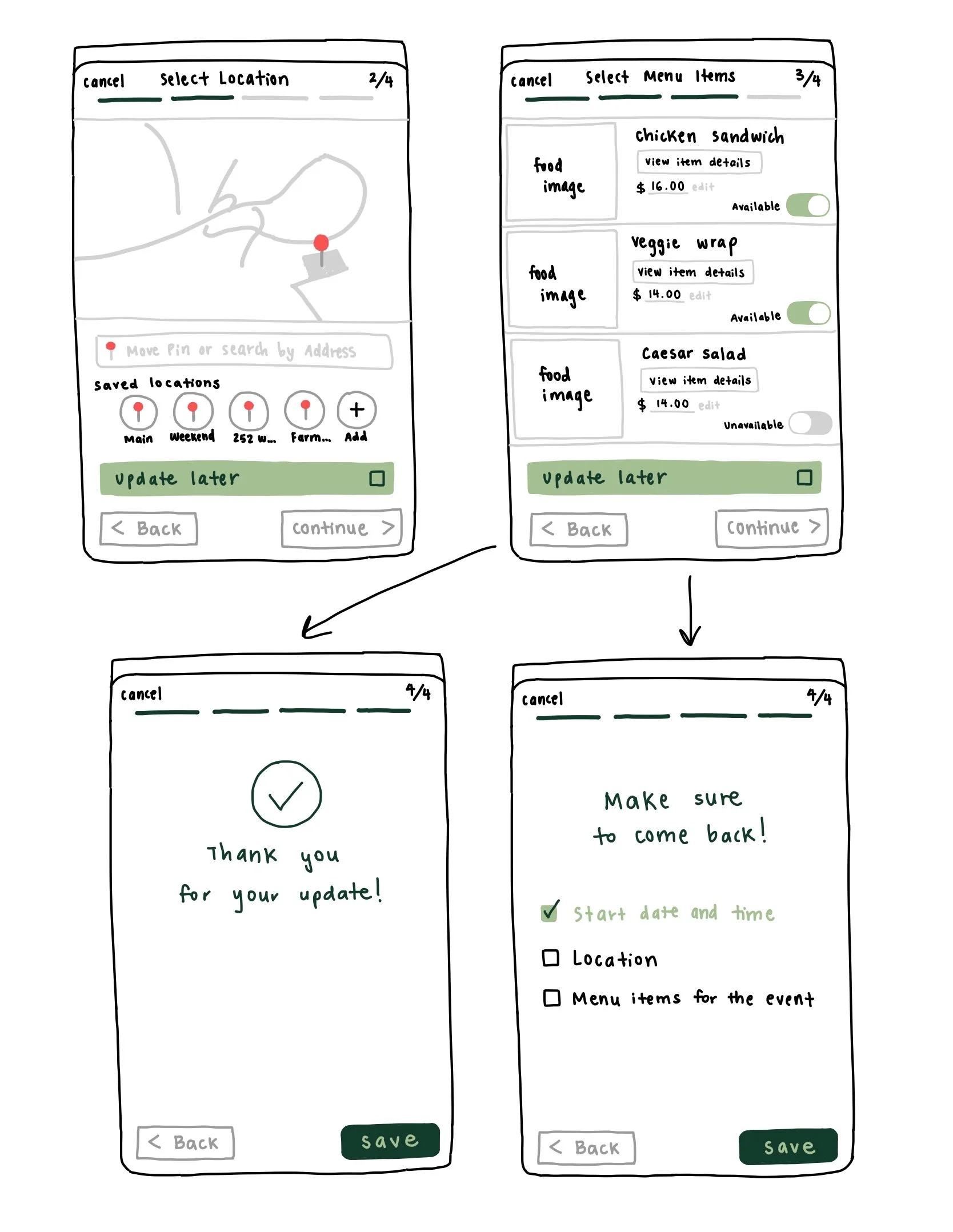
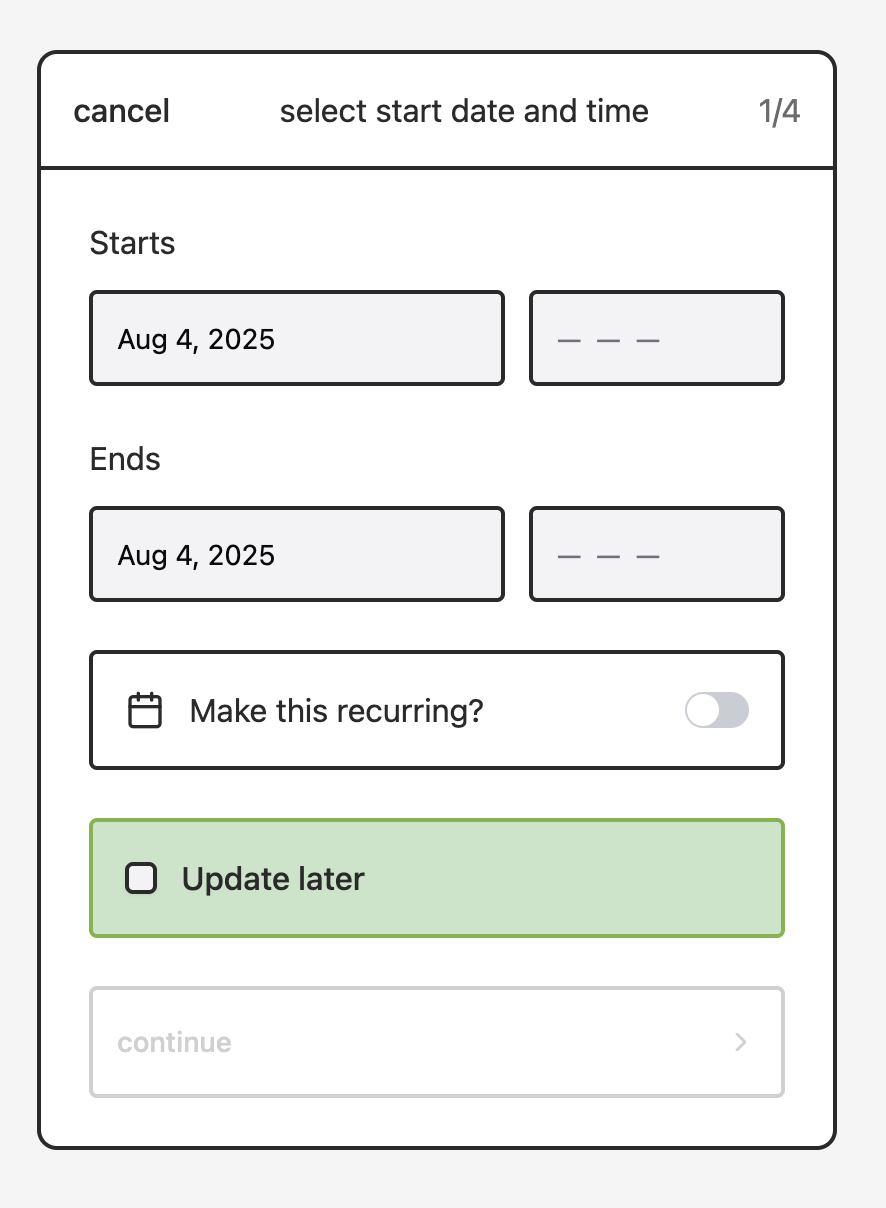
Provide flexibility for vendors who may not know their schedule in advance, such as through an “Update Later” option that alleviates pressure to finalize details immediately
Client Archetypes
-
Motivation:
Loves trying new food popups and discovering small vendors.
Behaviors:
Checks social media constantly but finds it frustrating and time-consuming to track where popups will be on any given day.
Pain Points:
Popups often move or cancel last minute
Wants real-time accuracy without digging through stories
Goals:
A reliable, centralized way to know what’s happening today
Quick, trustworthy updates so she can plan with friends
-
Motivation:
Wants convenient, high-quality lunch options near work with minimal effort.
Behaviors:
Has limited time; doesn’t browse Instagram to check where vendors are popping up.
Pain Points:
Streetstop sometimes shows outdated or inconsistent info
Doesn’t have time to scroll through IG stories or posts
Needs something reliable for daily lunch planning
Goals:
Accurate schedules without manual searching
Confidence that locations/time info won’t change last minute
-
Motivation:
Wants to grow visibility and reach more customers at her food popup.
Behaviors:
Updates her popup schedule on Instagram, often last minute.
Pain Points:
No streamlined way to share updated schedules with Streetstop
Schedule changes require customers + Streetstop to monitor Instagram
Hard to coordinate with the Streetstop team when updates happen frequently
Goals:
A simpler way to publish her schedule across platforms
Less back-and-forth and less dependency on Instagram for communication
More consistent traffic from users who know where she’ll be
Key Insights
Across my initial observations and conversations with vendors, several key insights emerged:
Vendors preferred structured inputs rather than freeform text, since it reduced ambiguity and made updates easier
Most wanted something more convenient and reliable than Instagram, but still simple enough to fit their unpredictable, fast-moving schedules
The internal team needed schedule information that was clean, consistent, and easy to surface in the app without additional manual formatting
Vendors needed flexibility for cases when they didn’t yet know their final schedule, which informed features like “Update Later”
These findings shaped the direction of the redesign and guided the creation of streamlined, low-fidelity flows that balanced clarity with flexibility.
Brainstorming and Ideation
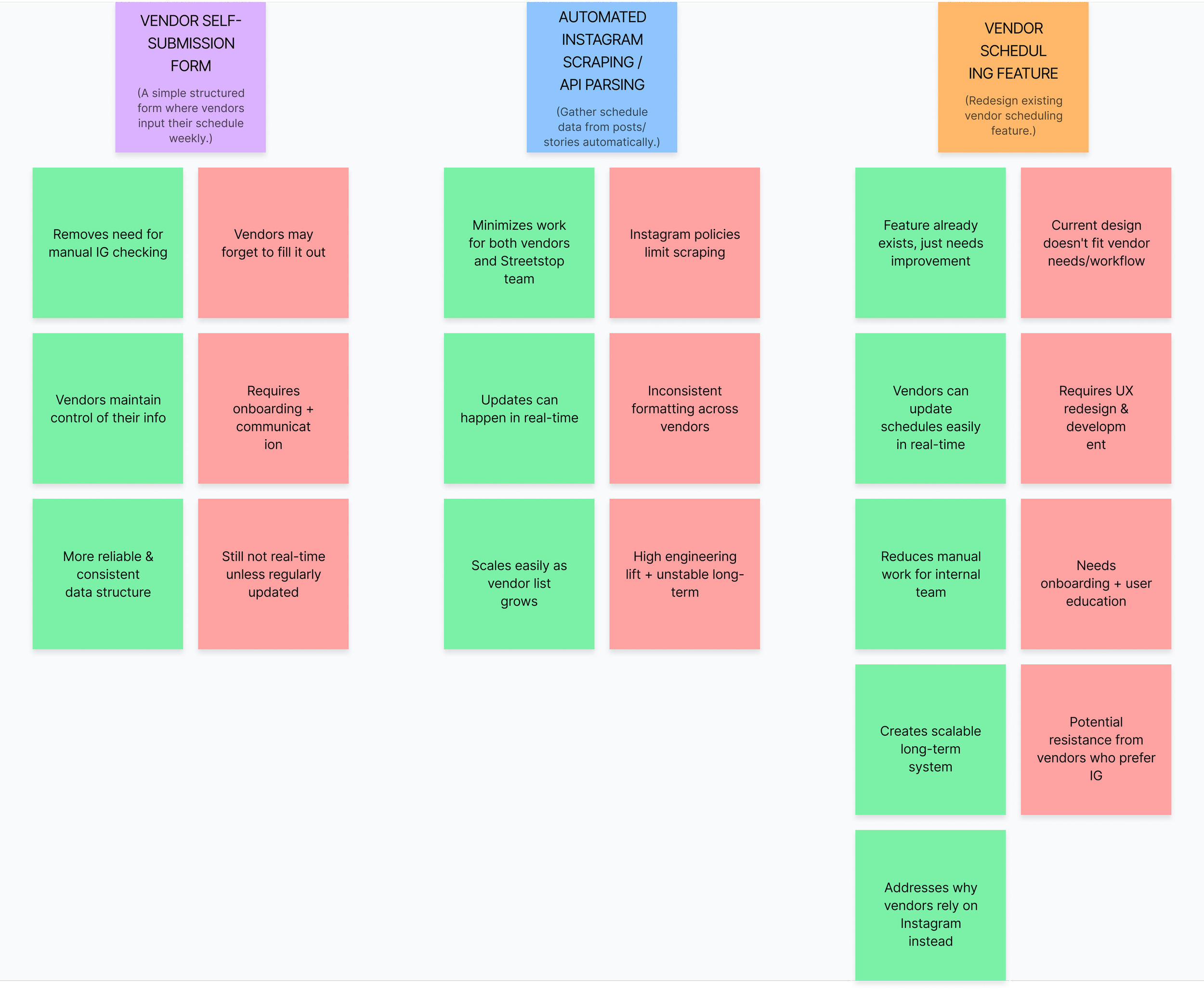
Using the user insights gathered from interviews, the problem statement, and observations of Streetstop’s internal workflow, we brainstormed several possible directions to address the inefficiencies in how vendor schedules were collected and updated.
For each idea, I mapped pros and cons to evaluate feasibility and user value.
Concept Validation
After reviewing all three concepts with the internal Streetstop team, we identified several feasibility considerations that helped guide our next steps:
Idea 1 (Vendor self-submission via Google Forms) had already been tested internally. Vendors were willing to submit their schedules, but the workflow still required the Streetstop team to manually transfer each submission into the app. This made the process time-consuming, inefficient, and unsustainable as the vendor base continued to grow.
Idea 2 (Automated Instagram scraping) was not viable because the AI tool needed to reliably detect and extract schedule information from vendor posts and stories was too expensive to implement and maintain.
Idea 3 (Redesigning and simplifying the existing vendor scheduling feature within the Streetstop app) emerged as the strongest direction. Vendors technically had the ability to input their schedules, but the current design did not fit their needs or workflow, which led most vendors to rely on Instagram instead. By redesigning and streamlining this feature, vendors would be able to update their schedules more easily and accurately, reducing manual work for the Streetstop internal team while creating a more scalable long-term system.
With this direction selected, I began developing low-fidelity wireframes to explore how the updated scheduling flow could better support vendor behavior and reduce friction.
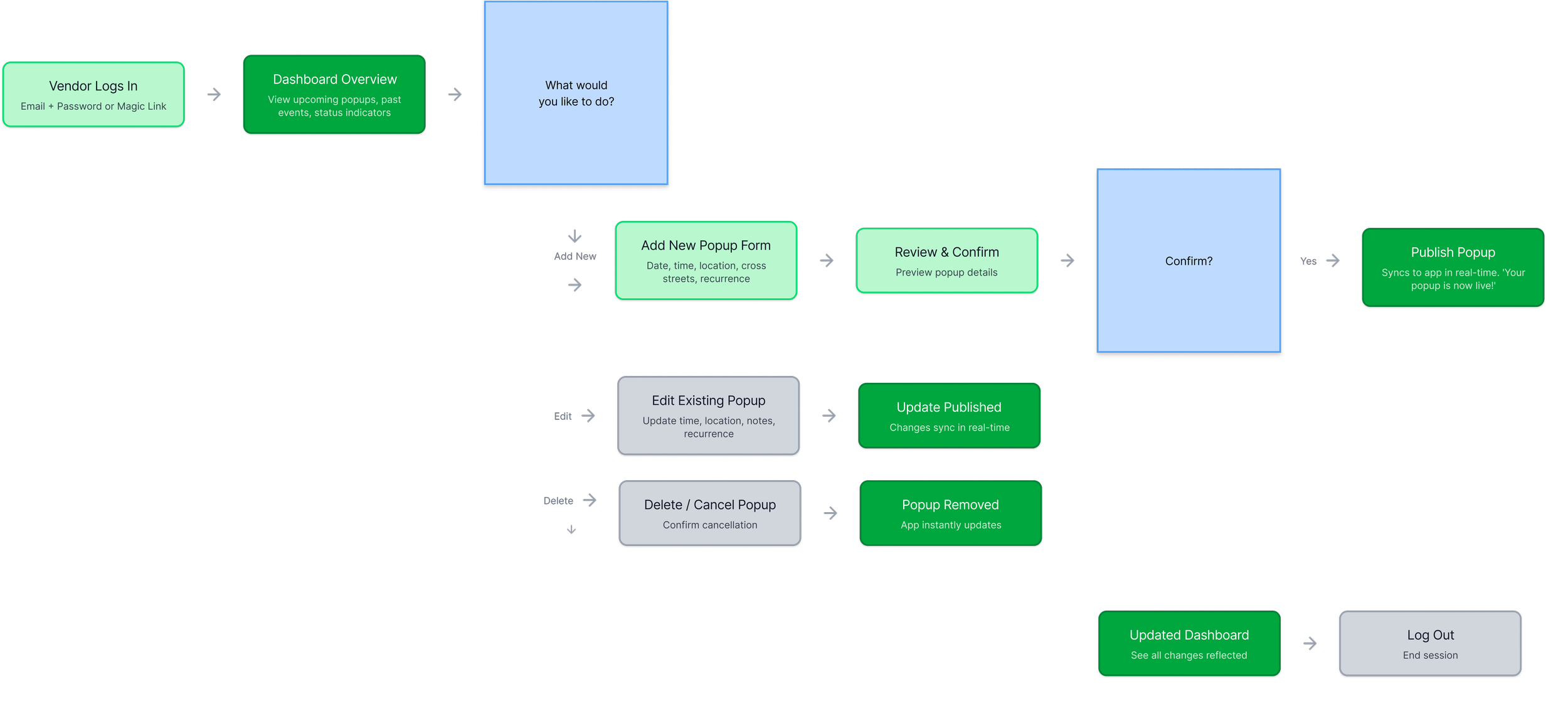
Before moving into visual exploration, I mapped the end-to-end vendor flow to establish the structure of the redesigned feature.
Final User Flow
To define the structure of the vendor-facing schedule tool, I created a user flow that maps out the essential interactions vendors need to manage their popups. The flow prioritizes simplicity, convenience, and real-time updates. Vendors can easily add new popups, edit or cancel existing ones, and publish changes instantly—significantly reducing the manual work previously required from the Streetstop team.

Concept Sketches & Flow Exploration
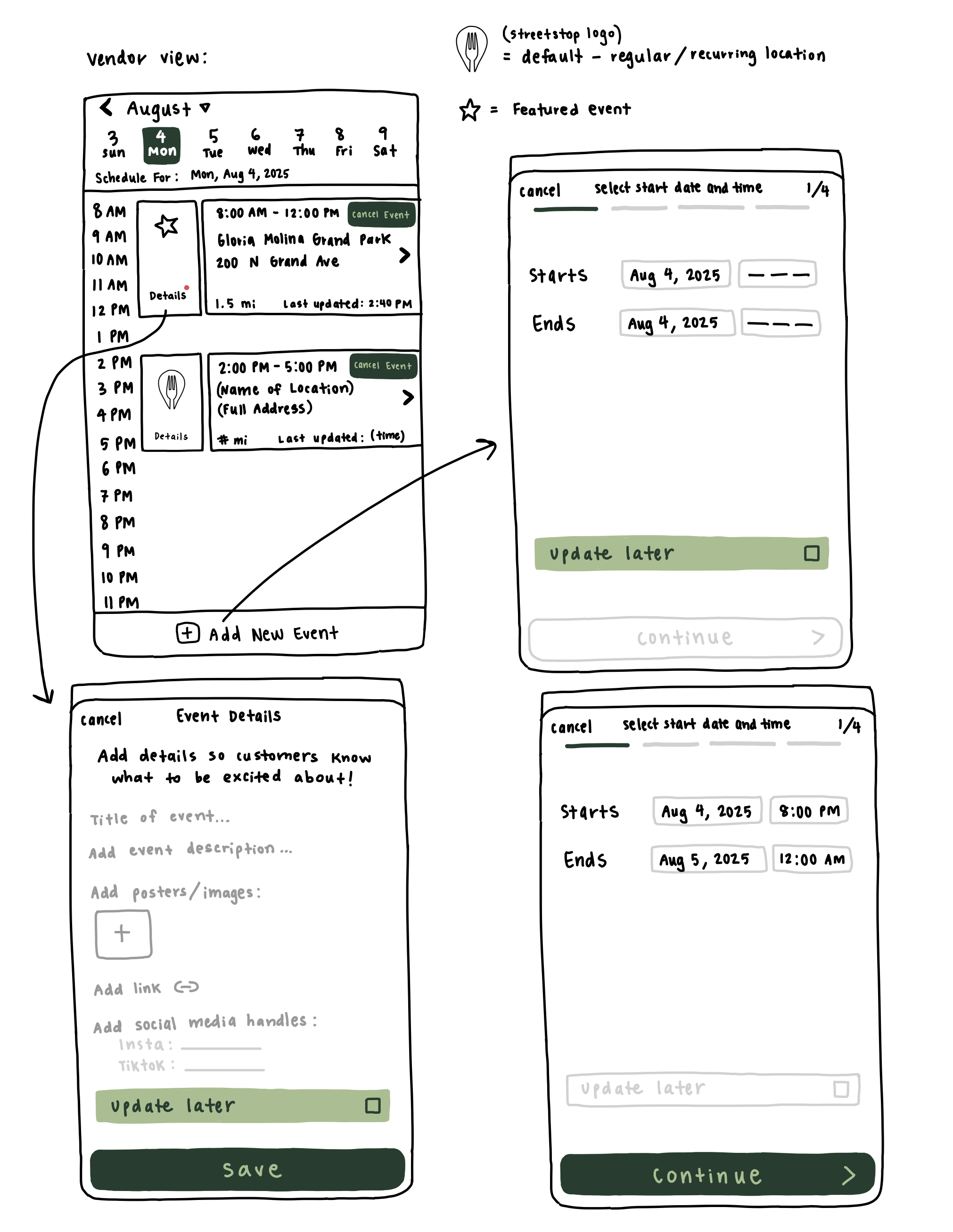
Based on the insights and the validated concept, I set the following design objectives for the lo-fi phase:
Objectives for the lo-fi designs
Create a straightforward flow for vendors to enter or update their daily schedules
Reduce dependency on Instagram for schedule communication
Minimize manual work for the Streetstop internal team
Ensure the structure supports real-time updates that immediately reflect in the app
Key Mid-Fi Designs
With the user flow finalized, I moved into mid-fidelity wireframes to explore structure, hierarchy, and functionality without focusing on visual styling yet.
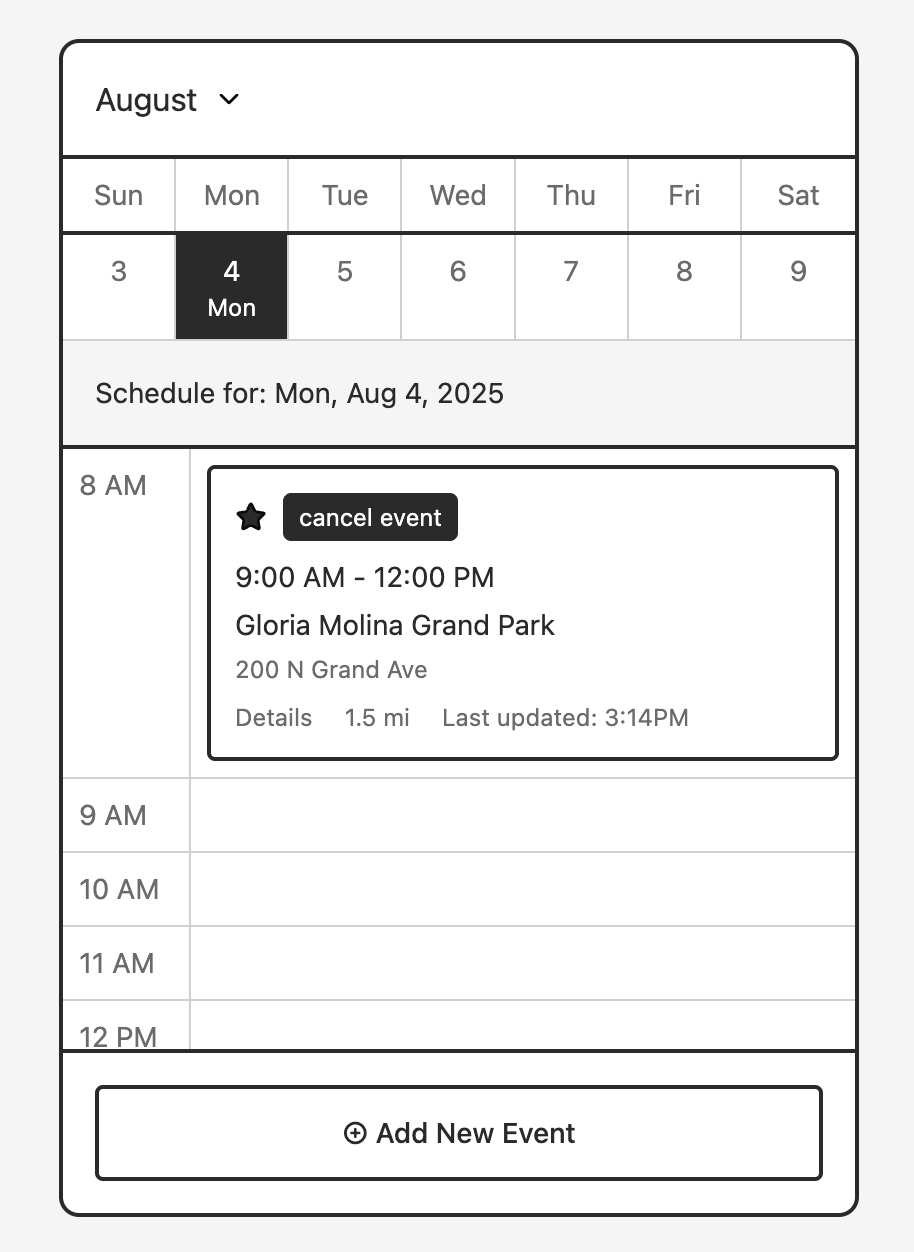
Dashboard Layout — A simple overview screen that shows upcoming popups and key actions (“Add New,” “Edit,” “Delete”).
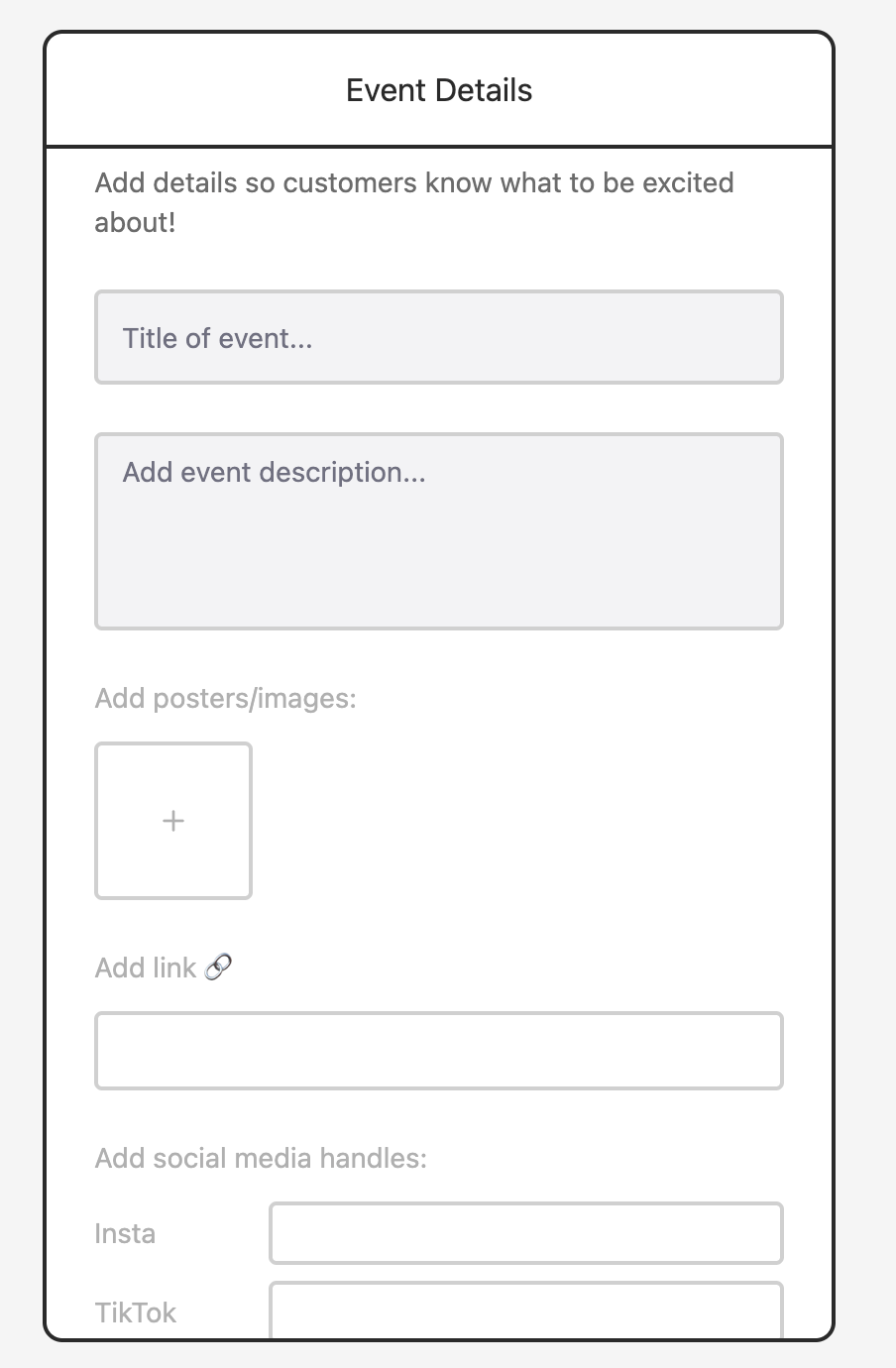
Schedule Input Form — Structured fields for date, time, location, and notes to reduce ambiguity and ensure consistent data formatting.
Recurring Schedule Options — A toggle-based interaction that lets vendors quickly repeat weekly or monthly popups without retyping.
Edit/Update Modal — A quick-access modal for vendors to make real-time changes—important because popup schedules often shift last minute. Therefore, a frictionless experience is essential.
These mid-fi screens allowed me to test flow clarity and interaction patterns with the internal team before investing in visual polish.
Hi-Fi Prototype
With the core designs completed, I transitioned into high-fidelity exploration. I created all visual components and screens, and then used Figmake to prototype the feature. This allowed me to experiment with interactions and ensure the end-to-end experience felt intuitive and cohesive.
The final feature is a streamlined, vendor-facing schedule management tool that allows vendors to independently add, update, and publish popup schedules.
Core Features
Centralized Vendor Dashboard — Gives vendors one place to manage all their schedule details.
Real-Time Updates — Any changes vendors make instantly sync to the Streetstop app, ensuring users see accurate information.
Structured Input Fields — Reduces errors and creates a consistent dataset for the Streetstop internal team.
Recurring Schedule Support — Enables vendors with predictable weekly setups to publish their schedules in seconds.
Reduced Internal Workload — Eliminates the need for manually checking 130+ Instagram accounts every day.
Field Research
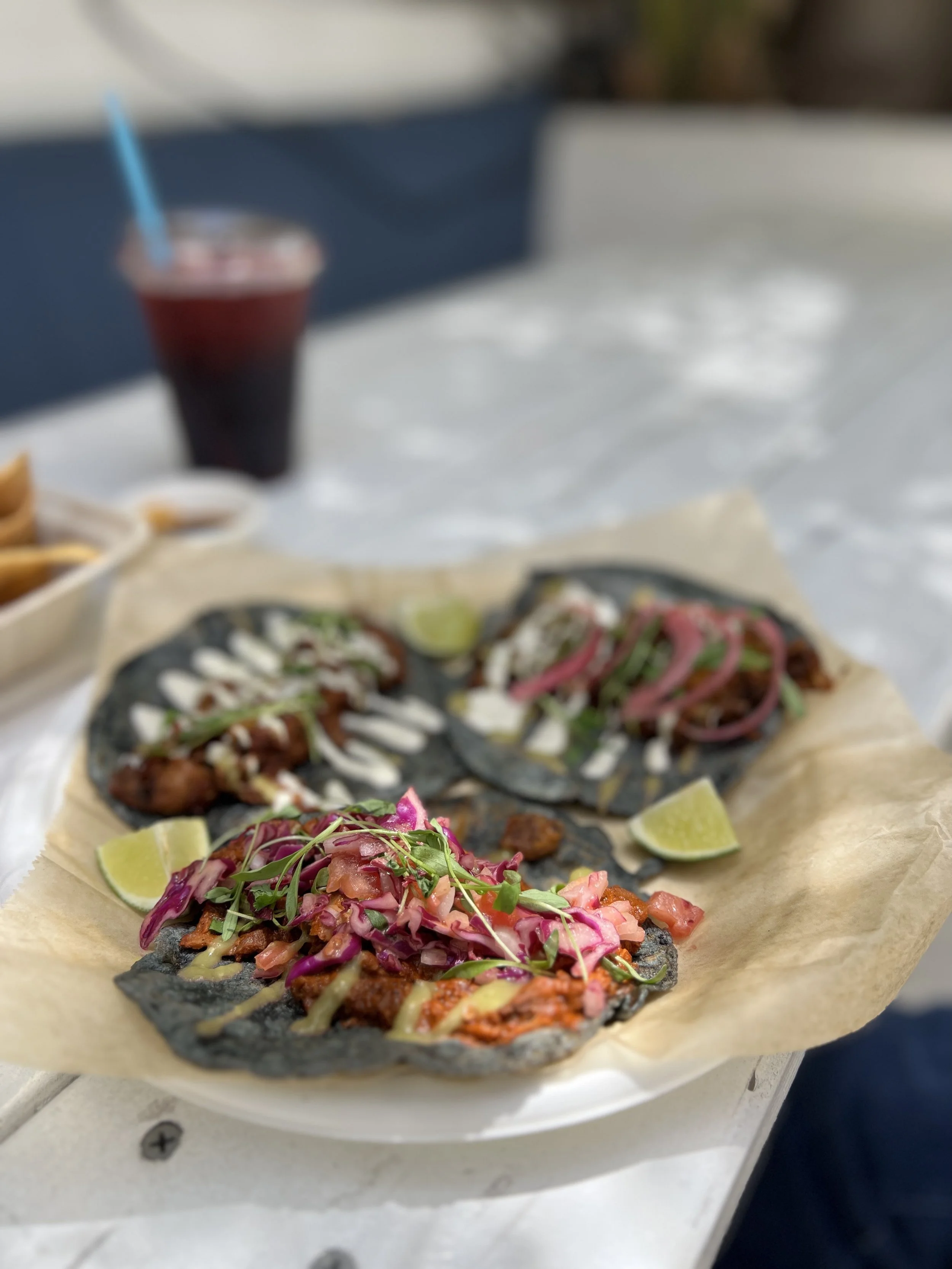
Visiting our local vendor partners in person allowed me to experience their food and operations directly. It was especially rewarding to see how the marketing initiatives I worked on contributed to increased awareness and engagement.
📍 Dear Mama LA
Reflection
This project taught me how important it is to design not only for end users but also for the internal teams who keep a product running every day. By examining Streetstop’s operational workflow closely, I realized how much internal inefficiencies can affect the overall user experience. Collaborating with the team also helped me understand how feasibility, budget, and engineering constraints shape product decisions alongside user research.
If I were to continue developing this feature, I would focus on creating a smoother onboarding experience for vendors and conduct more vendor-side testing earlier in the process to validate assumptions. I would also look into opportunities for light automation to further reduce manual work for the Streetstop team and support long-term scalability.